Evaluating 8 Purple Etsy Listing Infographics for Your Digital Shop
When you run an Etsy shop that sells digital products, the visual presentation of your listings can determine whether a browser clicks or scrolls past. The 8 Purple Etsy Listing Infographics bundle is a set of Canva-based templates designed to give your shop a polished, consistent look with minimal effort. Before you purchase, it helps to understand exactly what you are getting, how it fits into your workflow, and whether it aligns with the specific needs of your digital store. This article provides an objective evaluation of this product so you can make an informed decision.
What the 8 Purple Etsy Listing Infographics Bundle Offers
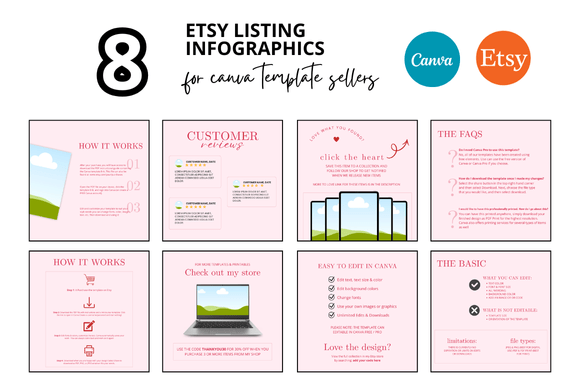
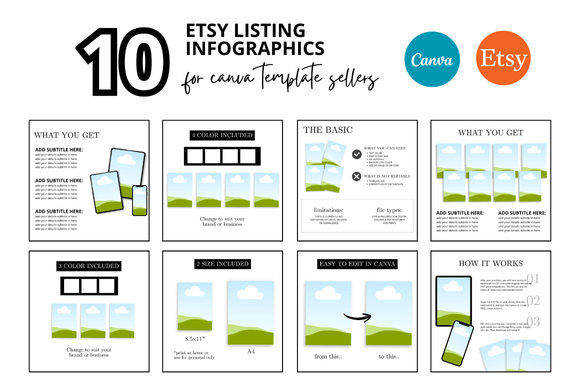
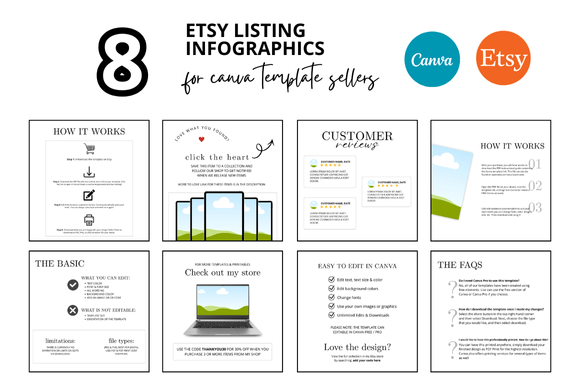
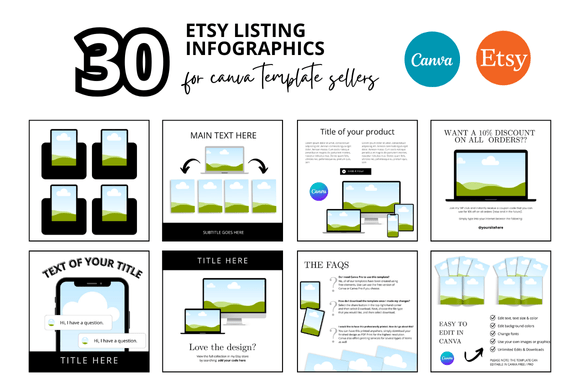
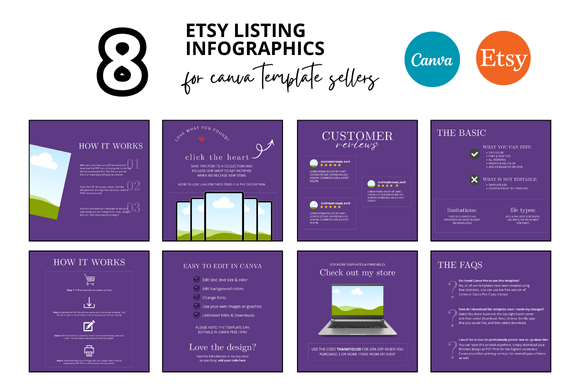
At its core, this bundle is a collection of eight pre-designed infographic templates, each sized at 2000 x 2000 pixels, intended for Etsy listings. Alongside the infographics, you receive matching mockup templates that allow you to display your digital products in a realistic frame or scene. All files are delivered as customizable Canva templates via an instant download link, and the seller includes what they describe as bonus freebies for buyers. The purple color palette ties the entire set together, making it easy to maintain visual consistency across multiple listings in your shop.
The bundle is marketed toward Etsy sellers who create and sell digital products such as printables, planners, banners, and other downloadable items. By using these templates, you can avoid starting from scratch with every new listing. Instead, you import the template into Canva, replace placeholder content with your own, and export a finished listing image or video mockup in a short amount of time. The seller emphasizes that these templates save hours of work, which is a genuine benefit for shop owners who produce many listings per month.
Why Sellers Consider This Bundle
Time constraints are one of the most common reasons sellers look for pre-made templates. Creating listing images from scratch involves designing layouts, selecting fonts, choosing colors, and arranging visual elements in a way that attracts buyers. The 8 Purple Etsy Listing Infographics removes much of that upfront design work. You receive a cohesive set that already follows established visual principles, so you can focus on tweaking the content rather than inventing the structure.
Another reason is the desire for a professional aesthetic. Not everyone has a background in graphic design, and even skilled sellers sometimes prefer to outsource the creative direction to a pre-made kit. The purple color scheme in this bundle is specific enough to give your shop a distinctive look, yet versatile enough to work with many digital product categories such as planners, journals, social media templates, or educational printables.
Additionally, the inclusion of mockup templates is a practical advantage. Mockups help potential customers visualize how a digital product will look once downloaded and used. A well-presented mockup can increase conversion rates because it reduces uncertainty about the product's appearance. This bundle provides mockups that are ready to use, which saves the effort of sourcing or creating realistic display scenes separately.
Consistent Branding Across Listings
When you use the same set of templates for multiple listings, your shop develops a recognizable visual identity. The purple infographics and mockups share similar fonts, color accents, and layout structures. This consistency can make your shop appear more organized and trustworthy to shoppers who browse through several of your products in one session.
Reduced Time Per Listing
Because the templates are fully customizable in Canva, you can swap out text, images, and product screenshots without rebuilding the entire design. For sellers who publish new items weekly, this efficiency adds up quickly. The instant download means you can start working within minutes of purchase, with no waiting for file delivery.
Accessible Customization via Canva
Canva is a web-based design tool that works on virtually any device. You do not need to install specialized software or learn complex editing programs. If you already use Canva for other aspects of your business, integrating these templates is straightforward. The templates are editable at every level, so you can change colors, fonts, and elements if you want to move away from the original purple palette later.
Bonus Freebies Add Extra Value
The seller includes additional free files with the purchase. While the exact contents of these freebies are not always detailed in advance, they typically include extra design elements or complementary templates. Even if you primarily need the eight infographics, the extras can provide useful resources for other parts of your shop, such as social media posts or shop banners.
Dependence on the Purple Color Scheme
The strongest tradeoff is the fixed color direction. If your brand uses a different palette, you will need to spend time recoloring each template. While Canva makes global color changes relatively easy, the templates were originally designed around purple tones. Some elements such as gradients or layered illustrations may not translate perfectly to a different color without manual adjustment. If your shop already has an established brand identity that conflicts with purple, this bundle may require more effort than starting from a neutral template set.
Platform Lock-In with Canva
These templates are built specifically for Canva. If you prefer to work in Adobe Photoshop, Illustrator, Affinity, or another design tool, the files will not transfer directly. You would need to recreate the layouts manually in your preferred software, which defeats the time-saving purpose. For sellers who use only Canva, this is not an issue. But if you use multiple tools, verify that the Canva workflow fits your existing process.
Customization Limits Within the Template Structure
Pre-made templates impose a certain layout structure. Even though you can edit text and images, the overall composition, element placement, and proportions are fixed by the original designer. If you have a specific vision that does not fit within those frameworks, you may feel constrained. In that case, custom design or a more flexible set of templates might serve you better.
Potential for Overlap with Other Sellers
Because this bundle is sold to multiple customers, other Etsy shops may use the same infographic designs. While the customization options allow you to personalize colors and content, the base layout could still be recognizable. If uniqueness is a high priority for your brand, you may want to consider whether this potential overlap concerns you. For many shops, the consistency and time savings outweigh the risk, but it is worth acknowledging.
Situations Where This Bundle Is a Strong Fit
- You are a new Etsy seller. If you are launching a digital product shop and need to create multiple listings quickly, this bundle gives you a professional starting point without a steep learning curve.
- Your brand uses purple or complementary colors. Shops with a purple, lavender, mauve, or similar color scheme will find the templates ready to use with minimal adjustments.
- You produce a high volume of listings. Sellers who add new products every week or month will benefit the most from the time savings. The templates streamline your production pipeline.
- You already rely on Canva for design work. If Canva is your primary design tool, these templates will integrate seamlessly into your existing routine.
- You need mockups for digital product previews. The included mockup templates help you present printables, planners, or digital files in a realistic setting, which can improve buyer confidence.
Situations Where Alternatives May Be Worth Considering
- Your brand uses a different color scheme. If your shop identity centers around green, blue, black, or another non-purple palette, you may be better served by a neutral or color-agnostic template set that requires less recoloring.
- You prefer advanced design software. Sellers who work in Photoshop, Illustrator, or Affinity will not be able to use these Canva-native templates without significant rework. Look for template bundles that offer layered PSD or AI files instead.
- You need highly unique visuals. If your shop competes in a saturated niche where standing out is critical, a pre-made template that other sellers also use might not give you the differentiation you need. Custom design or a more specialized template set could be better.
- You sell physical products. While the templates can be adapted, they are designed primarily for digital product listings. Physical item sellers may find the mockups less relevant.
- You have very specific layout requirements. Some digital products, such as complex spreadsheets or multi-page PDFs, may need custom infographic layouts that a fixed template cannot accommodate. In that case, a design-on-demand approach might be more practical.
Practical Decision-Making Insights
To evaluate whether the 8 Purple Etsy Listing Infographics bundle is right for you, start by reviewing your current listing creation process. How much time do you spend on each listing image? What does your current conversion rate look like after presenting new products? If you are spending more than 30 minutes per listing on design and still feel the results look amateurish, a template system can close that gap quickly.
Next, consider your comfort level with Canva. If you have never used it, the learning curve is shallow, but you should still account for the time needed to learn how to edit text, swap images, and export files. The seller likely provides basic instructions, but you may need to explore Canva's own tutorials to get the most out of the templates.
Also, think about the long-term evolution of your shop. If you plan to rebrand within the next year, the purple templates could still serve as a starting point that you gradually modify. If you anticipate staying with a purple-adjacent identity, the bundle offers strong continuity across your catalog.
Compare the cost of this bundle against the value of your time. If you value your time at a certain hourly rate and the templates save you even a few hours per month, the purchase can pay for itself quickly. On the other hand, if you enjoy design work and would rather create custom visuals from scratch, you may not need a pre-made set.
Finally, read the shop's product description carefully before purchasing. Look for details about the number of templates, whether video mockups are included, the file format, and any usage restrictions. Some bundles allow commercial use for products you sell, while others limit use to personal projects. Confirm the license terms to ensure they align with your business model.
Final Thoughts on Alignment with Your Goals
The 8 Purple Etsy Listing Infographics bundle is a practical tool for Etsy sellers who want to improve the visual quality of their listings without investing hours in custom design. It works best for shops that already use Canva, that sell digital products, and that can work within the provided purple aesthetic or are willing to recolor the elements. The time savings, consistency, and included mockups are genuine advantages for sellers who publish frequent listings.
At the same time, the bundle is not a universal solution. Sellers with established non-purple branding, those who need extreme design flexibility, or those who work outside of Canva may find that the tradeoffs outweigh the benefits. The key is to match the tool to your specific workflow. If the bundle fits your color palette, your design platform, and your production volume, it can become a reliable component of your listing creation process.
By approaching this purchase as a strategic decision rather than a quick fix, you can determine whether the templates will genuinely elevate your shop or whether a different solution would serve you better. Take a few minutes to assess your current process, your brand identity, and your long-term plans. That evaluation will point you toward the right choice for your Etsy business.