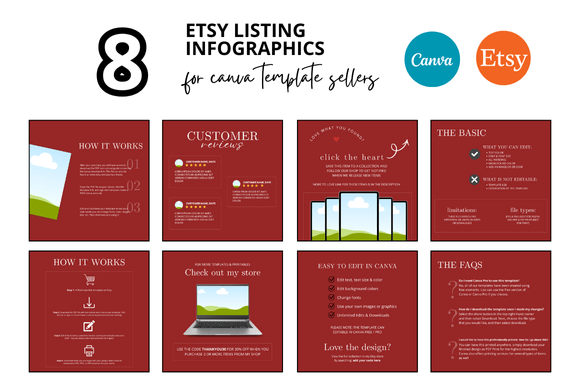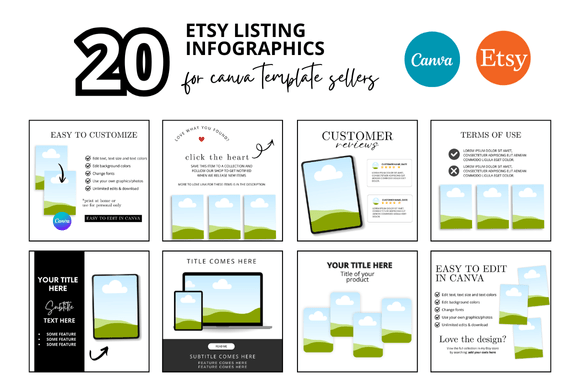
20 Etsy Listing Photo Infographics: A Strategic Approach to Visual Branding for Digital Sellers
When you sell digital products on Etsy, your listing photos are often the first and only impression a potential buyer gets. In a marketplace crowded with printables, planners, templates, and mockups, standing out requires more than just a good product. It requires a deliberate visual strategy. The concept of 20 Etsy Listing Photo Infographics might sound like just another bundle of images, but when understood as a system, it becomes a foundational tool for positioning, customer trust, and long-term efficiency.
This article explores what these infographics and mockup templates actually offer, why they matter beyond aesthetics, and how to use them with intention rather than as an afterthought. Whether you are launching a new shop or scaling an existing one, thoughtful use of listing visuals can shape how buyers perceive your brand and make purchasing decisions.
Beyond Decoration: Why Listing Photo Infographics Are a Strategic Asset
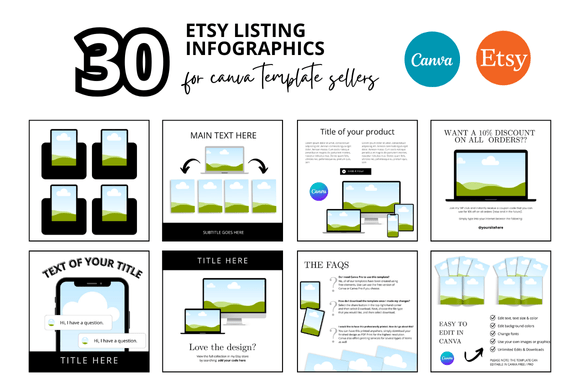
Many sellers treat listing photos as decoration. They choose images that look pretty but fail to communicate value, functionality, or trust. The 20 Etsy Listing Photo Infographics set, paired with customizable Canva mockups, is designed to solve this problem at scale. Instead of designing each listing from scratch, you work from a cohesive visual system that reinforces your brand identity across every product.
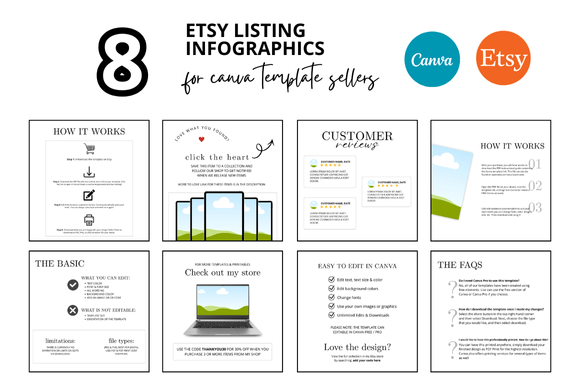
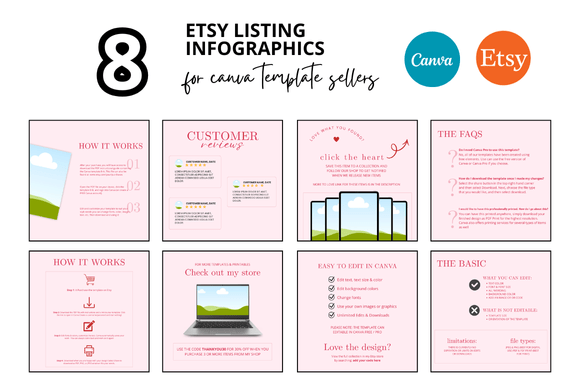
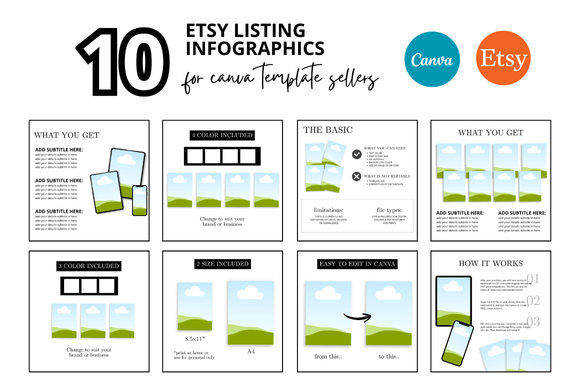
From a strategic standpoint, this matters for several reasons. First, consistency in visual presentation signals professionalism. Buyers who see a uniform style across your listings are more likely to perceive your shop as reliable. Second, infographics within listing photos allow you to communicate key information—size, format, usage ideas, and included files—without relying solely on the description. This reduces friction in the buying process and answers common questions before they are asked.
For digital sellers, time is a scarce resource. Creating original listing graphics for every product can consume hours that could be spent on product development, customer service, or marketing. A template system like this one, which includes 20 pre-designed layouts, 2000 x 2000 px squares, and video mockup options, directly addresses that productivity challenge. It allows you to produce high-quality listings in less time, while maintaining control over customization.
What the 20 Etsy Listing Photo Infographics Set Actually Includes
To use any tool well, you need to understand its components. The bundle described in the prompt is more than just a collection of images. It includes Etsy frame mockups, customizable Canva templates, and bonus freebies. The core deliverable is a set of 20 listing photo infographics designed specifically for Etsy digital shops. Each graphic is a 2000 x 2000 pixel square, which is the recommended size for Etsy listing images and ensures sharp display on both desktop and mobile.
The templates are built for Canva, meaning you do not need advanced design skills or expensive software. You open the template, replace placeholder content with your own product photos, text, and branding elements, and export. The mockups include frames that simulate how your product will look in use—on a tablet, phone, planner, or wall. This contextual presentation helps buyers visualize the product in their own environment, which increases perceived value and reduces hesitation.
The bundle also mentions video mockups. Video listings on Etsy are increasingly important because they show the product in action. A video mockup template saves you from having to record and edit footage yourself. Instead, you insert your product images or short clips into a pre-designed video frame, creating a polished listing video in minutes.
Bonus freebies in this type of bundle often include additional graphics, fonts, or color palettes that extend the usability of the main set. For a seller building a new shop, this means you have a complete visual toolkit from day one, rather than having to piece together resources from multiple sources.
Strategic Use Cases: When and How to Leverage These Templates
The value of 20 Etsy Listing Photo Infographics depends entirely on how you use them. Here are several strategic scenarios where this approach can support your goals.
Launching a New Shop with Cohesive Branding
When you open a new Etsy shop, your first few listings set the tone for your entire brand. Using a consistent set of mockup templates ensures that all your initial listings look like they belong to the same store. This reduces the amateurish feel of mismatched graphics and helps you build trust quickly. The 20 templates give you enough variety to cover different product types while maintaining a unified visual language.
Updating an Existing Shop for Better Conversion
If your current listings are underperforming, the problem is often visual rather than product-related. Poor lighting, cluttered backgrounds, or inconsistent sizing can drive buyers away. Replacing old photos with clean, framed mockups and infographics that highlight key features can improve click-through rates and conversion. You do not need to redesign everything at once. Start with your bestsellers, apply the templates, and measure the impact.
Saving Time During Seasonal or Bulk Listing Drops
Many digital sellers release new products in batches. If you launch ten or twenty items at once, designing individual listing photos for each can become a bottleneck. With a set of 20 customizable templates, you can batch-produce your listings in one sitting. This efficiency is especially valuable during peak seasons like Q4, when speed to market matters.
Creating a Professional First Impression for Printables
Printables and digital planners benefit enormously from mockups that show the product in a real context. A blank PDF file is hard to visualize. Placing that same file inside a tablet mockup or a binder frame instantly communicates its purpose and appeal. The infographic elements can also display page counts, paper sizes, and printing tips directly on the image, reducing the need for lengthy explanations in the description.
Practical Planning Tips for Using Listing Photo Infographics
Before you open the Canva template and start editing, take a few minutes to plan. This small investment in preparation will make the templates work harder for you.
- Define your brand colors and fonts first. The templates are customizable, so decide on two or three colors and one or two fonts that represent your shop. Apply these consistently across all 20 templates. This is what makes the set feel cohesive rather than random.
- Map each template to a product category. Not every template will suit every product. Identify which infographic layout works best for planners, which works for digital art, and which works for educational printables. Having a plan prevents you from forcing a square peg into a round hole.
- Prepare your product images in advance. The mockups require your actual product to be inserted. Take clear, well-lit screenshots or export high-resolution previews of your digital files. This preparation step saves time when you are inside the template.
- Write short, benefit-focused text for each infographic. The infographic space is limited, so use it wisely. Instead of listing features, state benefits. For example, instead of "PDF file included," write "Print instantly from any device." Instead of "10 pages," write "10 ready-to-use pages for daily planning."
- Test one listing before applying to all. Create a single listing using the new template system and monitor its performance for a week. If it converts well, roll out the rest. If not, adjust the template design or text before scaling.
Decision-Making Guidance: Is This Approach Right for Your Shop?
Not every seller needs a set of 20 listing photo infographics. The decision to invest in a template system should be based on your current situation and goals.
Consider this approach if you are experiencing any of the following:
- You spend more than 30 minutes per listing on photo creation and editing.
- Your listing images lack consistency from one product to the next.
- You have received feedback that your photos look unprofessional or unclear.
- You are planning to launch multiple products in the near future.
- You want to add video listings but do not have the skills or tools to create them from scratch.
Conversely, if you already have a well-performing visual system that is consistent and efficient, adding a new template set might create unnecessary complexity. In that case, you may only need to update a few templates rather than adopting a full set of 20. The key is to use the tool to solve a specific problem, not to collect design assets without a plan.
What to Consider Before Relying on Pre-Designed Mockups
While customizable templates offer tremendous convenience, they also come with trade-offs. Being aware of these will help you use them wisely.
The most common risk is over-reliance on generic aesthetics. If every seller in your niche uses the same or similar mockup templates, your listings risk blending in rather than standing out. To avoid this, customize the templates beyond the bare minimum. Change colors, reposition elements, add your logo, and use unique product images. The template should be a starting point, not the final product.
Another consideration is technical accuracy. Make sure the 2000 x 2000 px resolution is maintained in your exports. If you resize or compress images incorrectly, they may appear blurry on Etsy, which undermines the professional look you are trying to achieve. Always preview your listing on both desktop and mobile before publishing.
Finally, remember that infographics are most effective when they are concise. Overloading an image with too much text or too many icons can confuse buyers. Stick to three or four key pieces of information per graphic. Let the product itself be the hero.
Long-Term Value: Building a Visual System That Scales
The true return on investment from 20 Etsy Listing Photo Infographics comes when you treat the set as a system rather than a one-off project. A well-designed visual system scales with your shop. As you add new products, you reuse the same templates, maintaining consistency without starting from scratch. Over time, customers will recognize your listing style before they even read your shop name. That recognition is a form of brand equity that pays dividends in trust and repeat purchases.
Moreover, the time saved over months of listing creation is substantial. If each listing previously took 40 minutes for photo design and now takes 10 minutes, and you create 100 listings in a year, you have saved 50 hours. Those hours can be reinvested into product quality, customer engagement, or marketing. In that sense, a template system is not just a design tool but a productivity investment.
The inclusion of video mockup templates adds another layer of long-term value. As Etsy continues to favor listings with video content in search results, having video-ready templates positions your shop for better organic visibility. You are not just keeping up with the trend; you are building a repeatable process for producing video listings without hiring a videographer.
Final Thoughts: Using Intention, Not Randomness
The difference between a shop that succeeds and one that struggles is often not the quality of the products, but the quality of the presentation. The 20 Etsy Listing Photo Infographics set, with its mockups, Canva templates, and bonus freebies, gives you a structured path to professional visual branding. But the templates themselves do not do the work. Your willingness to customize, plan, and apply them with intention determines the outcome.
Start with one product. Apply the system thoughtfully. Measure the result. Then scale. That is the approach that turns a design asset into a strategic advantage. And that is what separates sellers who simply have a shop from sellers who build a brand.