8 White Etsy Listing Infographics: A Practical Tool for Streamlined Digital Product Presentation
Creating a cohesive and professional Etsy shop requires more than quality products; it demands consistent, clean visuals that communicate value quickly. For sellers who regularly update their listings or manage multiple digital product lines, the design process can become a bottleneck. The 8 White Etsy Listing Infographics package addresses this challenge directly, offering a set of ready-to-use templates built for efficiency and clarity. This article evaluates what this resource offers, who it works best for, and how it fits into a practical workflow.
What the 8 White Listing Infographics Package Includes
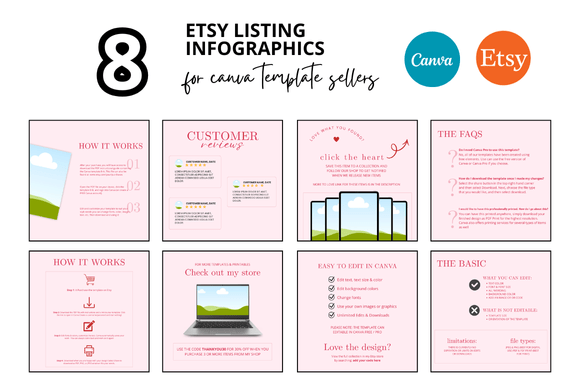
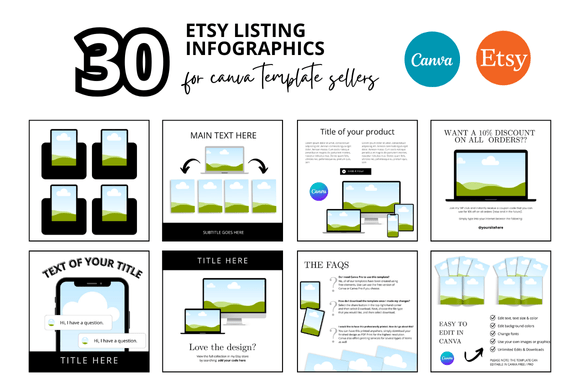
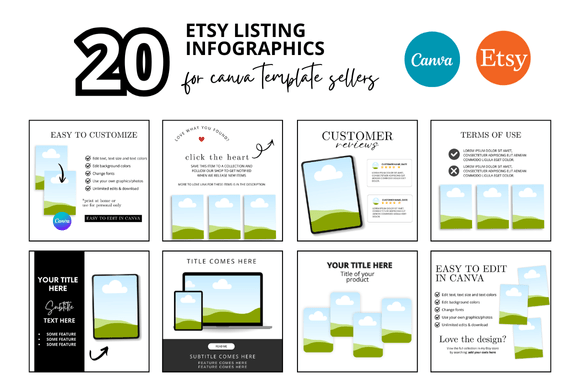
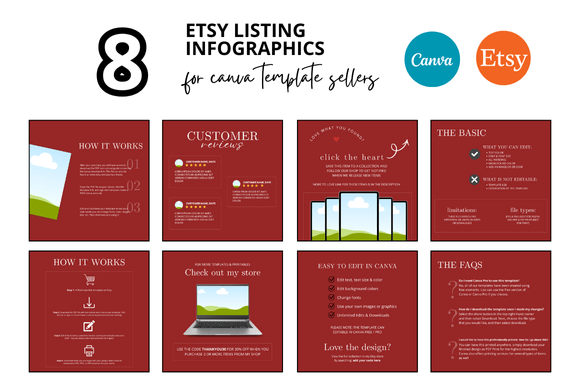
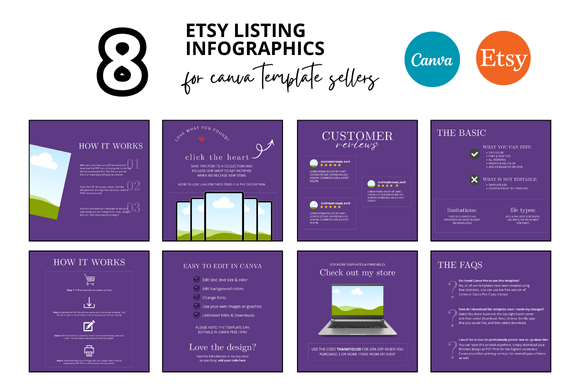
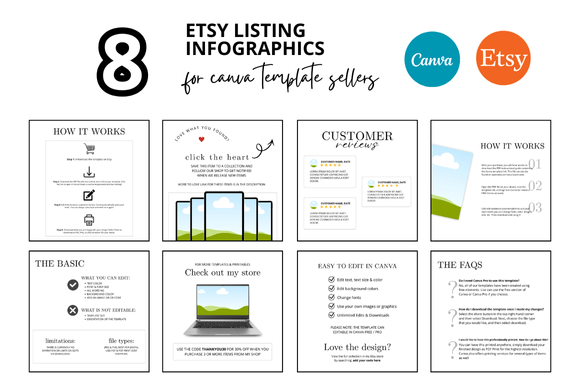
At its core, this collection provides eight distinct infographic templates designed specifically for Etsy product listings. Each template is presented in a clean white style, which keeps the focus on content rather than decorative distractions. The package also includes mockup frames and a Canva-based template system that allows for instant customization. Because the files are delivered as Canva link templates, users can edit text, colors, and layout elements directly in their browser without needing advanced design software. The set also contains bonus freebies, which typically include additional graphic elements or layout variations that complement the main templates.
The entire bundle is formatted at 2000 x 2000 pixels, the standard square size for Etsy listings. This ensures that every graphic you produce fits the platform’s display requirements without cropping or resolution loss. For sellers who create video listings, the package also includes mockup frames optimized for video presentation, allowing you to maintain visual consistency across both static and moving content.
Key Strengths: Simplicity, Speed, and Consistency
The primary strength of these infographics lies in their minimalistic design. A white background with subtle framing and clean typography allows product information, features, and dimensions to stand out. This style works well for a wide range of digital products, from printable planners and journals to templates, banners, and shop covers. Because the design does not rely on bold colors or complex graphics, it avoids visual fatigue and remains professional across different product categories.
Another important advantage is the time saved. Each template is pre-structured with placeholder text, image slots, and logical information flow. For a seller who needs to create multiple listings quickly, this eliminates the need to start from scratch or reapply formatting manually. After the first template is customized to match your brand colors and fonts, the remaining seven can be adapted in minutes. The Canva integration makes this process straightforward, as all elements are editable and scalable.
Usability and Flexibility in Real-World Use
When testing these templates in a practical scenario, the user experience is largely positive. The Canva link system works reliably, and the templates open immediately in the editor without requiring account upgrades for basic editing. For users who are already familiar with Canva’s interface, there is essentially no learning curve. For beginners, the clean layout reduces confusion, as each section clearly indicates where to add your own text or imagery.
The white theme offers flexibility that colored templates cannot match. You can overlay your own brand palette, add background textures, or insert product screenshots without worrying about color clashes. This makes the package suitable for shops that sell varied digital goods, as the same infographic frame can serve a printable budget planner, an Etsy banner template, or a mockup for custom invitations. The consistency achieved through a unified design language also helps build customer trust. When shoppers see a series of listings with similar infographic styles, they perceive a more organized and reliable shop.
One realistic limitation to note is that the white background, while versatile, may not suit every brand identity. If your shop relies on dark, moody, or highly saturated visual themes, you may need to adjust the templates significantly. The package does not include alternative color schemes, so users seeking an entirely different aesthetic would need to invest extra time in customization. However, for sellers who value a light, airy, and minimalist look, this limitation is not a drawback.
Who Benefits Most from This Template Set
The practical value of the 8 White Etsy Listing Infographics is highest for specific user groups. Freelancers, entrepreneurs, and small business owners who manage their own Etsy shops will find the templates especially useful for scaling listing creation. If you regularly launch new products or update existing ones, having a consistent set of infographics reduces decision fatigue and accelerates your workflow.
Educators and content creators who sell digital teaching materials, worksheets, or printables can also benefit. The clean design helps emphasize instructional content without visual noise. Bloggers and publishers who sell ebooks or guides will find the templates effective for presenting table of contents, testimonials, or chapter highlights. In each case, the infographics serve a clear purpose: to inform potential buyers quickly and accurately.
Professional designers and marketers might view this package as a time-saving foundation rather than a final product. Because the templates are fully customizable, you can treat them as a starting point and add advanced branding elements later. For those who serve multiple clients, having a go-to set of infographics that can be adapted per project can significantly improve efficiency.
Quality, Reliability, and Long-Term Value
The build quality of the templates is solid. Typography choices are legible, spacing is balanced, and the layouts follow standard visual hierarchy principles. This means that even without design training, a user can produce graphics that look intentional and polished. The 2000 x 2000 pixel resolution also ensures that images remain sharp on both desktop and mobile views, which is crucial given that many Etsy shoppers browse on phones.
In terms of reliability, the Canva link system is stable. As long as your account remains active (the free tier is sufficient), you can access and edit the templates repeatedly. The bonus freebies add extra value, often including elements like decorative icons, additional frames, or alternate layouts that extend the utility of the main set. Over time, these extras can be repurposed for social media graphics, email headers, or promotional materials, making the package a versatile asset beyond just Etsy listings.
One observation regarding long-term value is the lack of template updates. Since this is a static download, you will not receive design refreshes or new layouts after purchase. However, because the style is intentionally minimalistic, it is less likely to appear dated quickly. A clean white template tends to age well compared to trend-heavy designs.
Potential Drawbacks and Considerations
While the package performs well for its intended purpose, there are a few factors to weigh. First, the number of templates—eight—may be sufficient for small catalogs but could feel limiting for shops with dozens of products. You would need to reuse layouts with different content, which can still maintain visual consistency but may reduce variety. For shops that sell highly diverse product types, you might wish for more distinct templates tailored to different categories.
Second, the templates are pre-optimized for square listings. If you also need portrait or landscape formats for other platforms, you would need to reshape the designs yourself. This is not a unique limitation, but it is worth noting for users who intend to repurpose the graphics across multiple channels.
Third, because the templates are delivered as Canva link templates, you rely on an internet connection and the Canva platform to make edits. Offline editing is not supported in the same way as with native design software files. For users who prefer working in Adobe Photoshop, Illustrator, or Affinity, the lack of PSD or AI file formats could be a drawback. However, the ease of use and accessibility of Canva often outweigh this concern for the target audience.
Practical Recommendations for Best Use
To get the most out of these infographics, start by defining your brand’s core colors and fonts. Apply them across all eight templates before using them for listings, so that any content you insert fits a unified look. If your shop includes multiple product lines, consider using one template for each line while keeping the overall theme consistent. This creates subtle differentiation without breaking visual harmony.
For sellers who produce video listings, the included video mockup frames are worth exploring. These allow you to overlay product demonstrations or slideshow content within a clean border, creating a polished presentation that aligns with your static infographics. Using both formats together strengthens your shop’s professional identity.
If you find that eight infographics are not enough, consider using the bonus freebies to extend your set. Some free templates may include additional layout variations that duplicate the aesthetic of the main package. Combining these with the original eight can give you a larger library without purchasing additional products.
Final Thoughts on Fit and Value
The 8 White Etsy Listing Infographics package is a well-considered resource for anyone who needs to produce clean, consistent, and functional listing visuals without spending excessive time on design. Its strengths are speed, flexibility, and a minimalist aesthetic that works across many digital product categories. While it may not suit shops that require highly elaborate or brand-specific custom artwork, it offers reliable value for sellers who prioritize efficiency and clarity. If your goal is to present your digital products in a professional yet straightforward manner, this set is a practical addition to your toolkit.