The Power of the Three Steps Infographic Hexagon
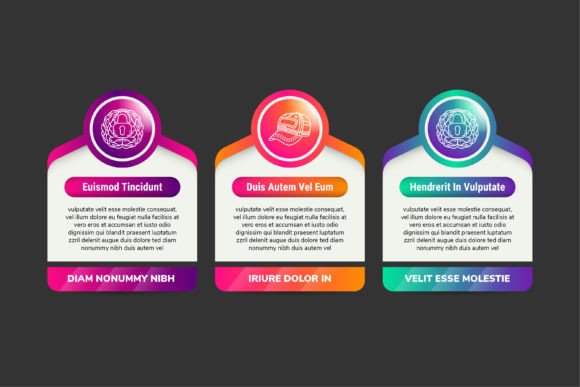
Every marketer, designer, and content creator knows the struggle of trying to explain a process clearly. You have valuable information, but text-heavy explanations often lose the audience before they reach the point. This is where visual hierarchy saves the day. The Three Steps Infographic Hexagon is a purpose-built design asset that transforms complex workflows into digestible, visually engaging diagrams. Whether you are building a landing page, designing a social media carousel, or structuring a pitch deck, this template offers a modern approach to guiding your audience through exactly what you need them to understand.
A Modern Take on Visual Storytelling
The hexagonal shape has become a hallmark of contemporary design. It communicates innovation, connectivity, and structural efficiency—think of honeycombs, molecular diagrams, or modern dashboard interfaces. This template leverages that subconscious association, giving your content a forward-thinking personality right out of the gate. The three-step layout is universally intuitive. It mirrors the natural way we process sequences: beginning, middle, and end. Problem, solution, result. Discover, learn, apply.
From a technical standpoint, the Three Steps Infographic Hexagon ticks every box for professional use. It comes in high resolution at 300dpi, ensuring crisp output whether you are printing it on a brochure or displaying it on a retina screen. The graphics are 100 percent vector based, which means you can scale the design from a small icon to a large-format poster without any degradation in quality. The file is well organized with clearly labeled layers, making customization straightforward even if you are not an advanced Illustrator user. You can edit the text, adjust the shapes, and swap the colors to match your existing brand identity without fighting the software.
Where the Three-Step Structure Works Best
The versatility of this design asset makes it a valuable addition to any creative toolkit. Its clean, structured layout solves common communication challenges across multiple mediums.
Marketing and Sales Collateral
If you work in marketing, you know the homepage needs to answer one question fast: how does this work? The Three Steps Infographic Hexagon excels in "How It Works" sections. Place it above the fold on a landing page to immediately communicate a streamlined customer journey. It also fits naturally into pitch decks and sales presentations. When you are presenting to stakeholders or potential clients, a polished vector graphic signals that your brand values clarity and professionalism.
Content Creation and Social Media
Bloggers and content creators can use this template to reinforce written content. If you are writing a three-part strategy post, the infographic serves as a visual summary that readers can save and share. On platforms like Instagram and LinkedIn, a cohesive hexagon graphic stands out in a crowded feed. You can break down each step into a dedicated slide for a carousel post, driving engagement by making complex advice feel instantly accessible.
Print and Editorial Design
Publishers and small business owners will appreciate how well this template translates to print. Because it is vector based and high resolution, it works beautifully in brochures, annual reports, and service menus. The included SVG format also gives web designers the flexibility to embed responsive, scalable graphics directly into their code, ensuring the diagram looks sharp on any device without extra load time.
Elevating Brand Perception Through Structured Design
Beyond its practical utility, the Three Steps Infographic Hexagon directly influences how your audience perceives your brand. Visual presentation is a reflection of your attention to detail.
Readability and Visual Hierarchy. When you present information as a numbered, segmented path, you reduce cognitive load. The viewer does not have to work hard to find the starting point or understand the sequence. The hexagon framework naturally anchors the eye, then guides it from one step to the next. This creates a frictionless reading experience that keeps your audience engaged longer.
Consistency and Professionalism. Using a cohesive template across your website, social media graphics, and printed materials strengthens your brand identity. When your audience sees a consistent geometric language, they associate it with your organization. This repetition builds trust over time. The editable nature of this asset means you can lock in your brand colors and typeface once, then reuse the framework for different topics or campaigns.
Engagement and Retention. People process visual information significantly faster than text. A diagram that organizes your core message into distinct, visually appealing steps increases the likelihood that your audience will remember what you said. This is especially valuable for explaining services that are intangible or complex, such as consulting processes, software workflows, or educational curricula.
Practical Guidance for Choosing and Customizing Your Template
To get the most out of this design resource, it helps to approach it strategically. Here is how you can evaluate whether this template is the right fit for your project and how to customize it for maximum impact.
Evaluate Your Content Fit
The Three Steps Infographic Hexagon is ideal when your message naturally falls into three distinct phases. This could be a process (Plan, Execute, Review), a service package (Basic, Pro, Enterprise), or a timeline (Past, Present, Future). If your content aligns with this structure, the template will feel like a natural container for your ideas. If you have more than three steps, consider using the core hexagon motif as a building block for a longer sequence, or focus on distilling your message down to its three most essential components.
Customize for Brand Alignment
Start by adjusting the color palette. Use your primary brand color for the main hexagon and secondary tones for the supporting elements. The file is structured with editable shapes, so you can apply your specific hex codes. Next, focus on the text. Write concise, action-oriented copy for each step. Avoid paragraphs; aim for short phrases that scan easily. Pair the infographic with a clean, modern sans-serif typeface such as Montserrat, Inter, or Open Sans. The contrast between the geometric shapes and a readable font ensures the graphic remains accessible.
Consider Formats and Licensing
Your download includes Ai, EPS, JPG, and SVG files. If you are a graphic designer working in Adobe Illustrator, the Ai file gives you full control over every vector point. The EPS file offers similar flexibility across different vector editing software. For web developers, the SVG format is invaluable, as it can be styled with CSS and remains crisp on retina displays. The JPG file provides a quick placeholder for mockups or drafts. Understanding these formats allows you to integrate the asset smoothly into your existing workflow without technical friction.
Readability and Scale Considerations
Because the file is set at 300dpi, you can comfortably scale it for print projects like flyers or even small posters. When using the template for digital purposes, ensure the text remains legible by not scaling it down too aggressively. If the infographic will be viewed primarily on mobile devices, test the layout at a smaller size. The vector nature of the design means you can always adjust the proportions of the hexagons or the spacing between steps to optimize for smaller screens.
Commercial licensing provides peace of mind. Whether you are a freelancer delivering a client project or an in-house designer creating assets for your company, having the proper license ensures you can use the design without restrictions. Always review the specific terms included with your purchase to confirm your intended use is covered.
Investing in a high-quality template like this one saves you hours of design time while delivering a result that looks bespoke. It removes the guesswork from creating professional diagrams, allowing you to focus on what matters most: communicating your message with clarity and confidence. The Three Steps Infographic Hexagon is more than a graphic—it is a tool for better storytelling, stronger branding, and more effective audience engagement.