Infographics PowerPoint Template: A Real-World Tool for Clearer Communication
You have likely sat through a presentation that felt flat. Slides packed with bullet points. Numbers that blurred together. Charts that seemed to require a decoder. The information was there, but the message was not. That gap between having data and actually communicating it is where most business, educational, and creative efforts stumble. An Infographics PowerPoint Template is designed to close that gap. It is not about making slides look pretty for the sake of it. It is about building a bridge between what you know and what your audience needs to understand.
What This Template Actually Offers
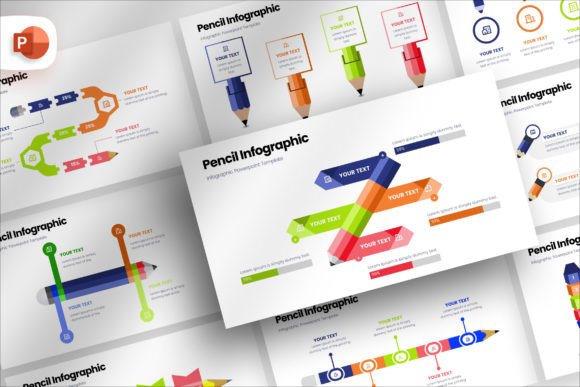
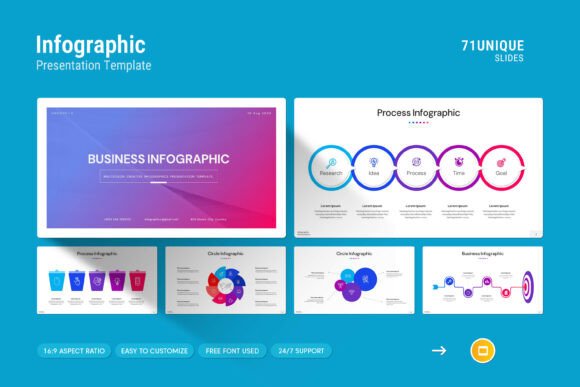
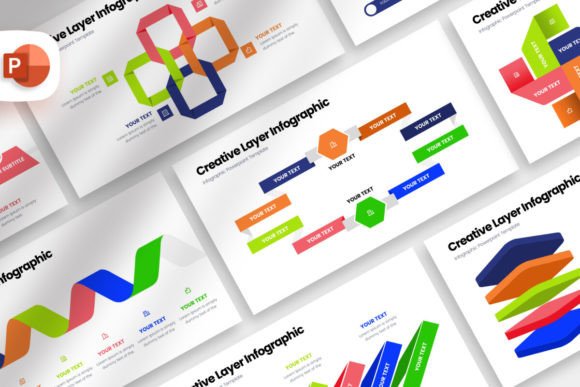
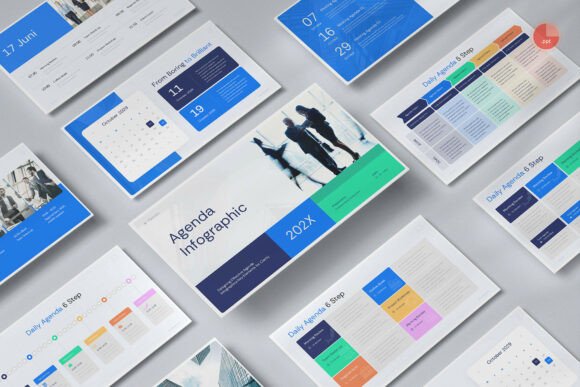
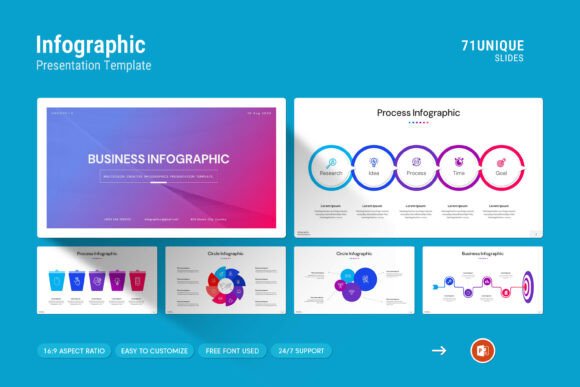
At its core, this is a structured PowerPoint file that includes 71 slides. It is built around the idea that people absorb information faster when it is visual. The template comes with pre-designed layouts for infographics, tables, diagrams, and photo placements. You get a .PPTX file that works on both Apple and Windows machines, plus a help file to guide you through the setup. The slides use a Full HD 16:9 ratio (1920x1080px), which means they fit modern screens and projectors without awkward cropping or stretching. Colors are easy to change, pictures can be swapped by drag and drop, and the fonts are free to use. The master slide layout ensures that once you set your brand colors or fonts, they apply across the entire deck consistently.
Business Pitches and Investor Meetings
You have seven minutes to convince someone to back your idea. A wall of text will lose them in the first thirty seconds. With this template, you can lay out your market research as a clean infographic. Show your growth projections with a diagram instead of a table of numbers. Place your team photos in a creative layout that feels personal rather than corporate. The templates allow you to tell a story visually. The investor sees the opportunity, not just the data. That shift in perception often makes the difference between a follow-up meeting and a polite rejection.
Internal Company Reporting
Monthly reports, quarterly reviews, departmental updates. These happen in every organization, and they are often met with sighs. The challenge is that the data is important, but the delivery is dull. Using infographics in these settings turns routine numbers into insights. A sales report becomes a visual journey through wins, losses, and trends. A marketing report shows campaign performance through charts that actually make sense at a glance. Your team spends less time decoding slides and more time discussing what the data means. The template includes table layouts and diagram options that work well for these internal contexts.
Educational Content and Workshops
Whether you teach at a university, run corporate training sessions, or host community workshops, your job is to make concepts stick. People remember visuals far longer than text. The infographics in this template allow you to break down complex ideas step by step. You can illustrate a process with a flowchart. Show comparisons with side-by-side diagrams. Use icons to represent key concepts without cluttering the slide. For educators, the ability to change colors and layouts quickly means you can adapt the same deck for different audiences. A class of undergraduates needs a different visual approach than a room full of executives.
Marketing Content and Social Media
Presentations do not always happen in a boardroom. You might record a webinar, create a slide deck for your website, or share snippets on LinkedIn and Instagram. The 16:9 ratio is ideal for video platforms. You can export your slides as images or PDFs and use them as social media posts, lead magnets, or blog visuals. The infographic layouts are particularly effective for "how it works" or "why choose us" content that lives on your site. Instead of hiring a designer to create individual graphics, you produce them yourself from the template. It saves time and keeps your branding consistent across channels.
Startup and Company Profile Decks
When you are building a company profile, you want to present your story in a way that feels professional but not stiff. This template includes photo layouts that let you showcase your team, your workspace, or your product in a natural way. The infographics can highlight your milestones, your values, or your differentiators. For a startup, every touchpoint with a potential client or partner matters. A well-designed profile deck signals that you are organized and serious, even if you are still working out of a co-working space.
Who Benefits from Using This
Entrepreneurs and small business owners often juggle multiple roles. They cannot afford to spend days designing a presentation. This template cuts that time down significantly. You open it, swap in your content, adjust the colors to match your brand, and you are ready.
Marketers and content creators need to produce visual assets quickly. Whether it is a client proposal, a webinar deck, or an internal strategy document, the template gives you a starting point that already works. You do not need to think about layout or composition. You focus on the message.
Educators and trainers face the challenge of keeping attention in a world full of distractions. Visual variety helps. Switching from a text slide to an infographic to a photo layout resets the room's focus. The template gives you that variety without requiring design skills.
Freelancers and consultants rely on presentations to sell their services. A polished deck builds trust. It suggests that you pay attention to details, which is exactly what clients are looking for. The drag-and-drop photo feature makes it easy to personalize slides for each client without starting from scratch.
Nonprofit and community leaders often present to stakeholders, donors, or volunteers. Clarity matters when you are asking for support or explaining impact. Infographics can show where funds go, what results have been achieved, and what the future goals look like. The template helps you tell that story in a way that feels transparent and compelling.
What to Consider Before Using Template
The template gives you structure, but the content is still yours. Spend time thinking about what you want each slide to communicate before you start dragging and dropping. A well-designed infographic with weak data still falls flat. The visual only works if the underlying message is solid.
Customizing colors is easy, but keep it simple. Stick to two or three colors from your brand palette. Too many colors confuse the viewer. The template includes options for color changes, but restraint usually produces better results.
Picture placement is straightforward, but the quality of your images matters. Use clear, high-resolution photos. Blurry or poorly lit images stand out negatively in a professional deck. The drag-and-drop feature works best when you have good source material.
Review the master slides early. Setting your fonts and colors at the master level saves you from adjusting each slide individually. It also ensures consistency if someone else on your team edits the deck later.
Make use of the help file. It is there to answer common questions and save you time. Even if you are comfortable with PowerPoint, a quick read through can show you features you might have missed.
Connecting Features to Real Outcomes
The 71 slides are not just numbers. They give you options. You do not have to use every slide in one deck. Pick the ones that fit your story. The variety means you are not stuck repeating the same layout for twenty slides. That visual rhythm keeps your audience engaged.
The compatibility with both Apple and Windows matters more than it sounds. If you collaborate with people who use different operating systems, you need a file that works everywhere. This is a standard .PPTX file, so no conversion issues or formatting surprises.
The free fonts remove one more obstacle. You do not need to purchase licenses or hunt down missing typefaces. Everything is accessible from the start.
The support from a skilled designer is a practical safety net. If you get stuck, you have someone to ask. That is rare with many template purchases and it adds a layer of confidence for users who are not design professionals.
Final Thoughts on Using Infographics PowerPoint Template
Presentations are a part of how work gets done. You pitch, you report, you teach, you share. The format can either help or hinder that exchange. An Infographics PowerPoint Template gives you the tools to make your side of the conversation clearer. It handles the visual structure so you can focus on the substance. Whether you are preparing for a boardroom, a classroom, or a social media feed, the template adapts to the context. The result is a presentation that feels intentional, professional, and easy to follow. That is what makes the difference between a good presentation and a forgettable one.